
The parent app is designed to give parents and carers insight into the activities that your child is doing and whether or not they are enjoying them. Follow these simple steps to connect the accounts:
-
Sign in to your miMove Parent App account either online or via the mobile app
-
Go to miKids > Add Child
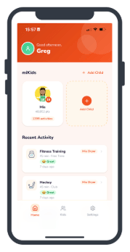
-
Ask your child to sign into their account
-
In the menu they will see miParent
-
You have two options:
- Connect using a QR code
- Use your phone camera to scan the QR code and click Link Child
- Connect using a 6-Digit code
- This will be generated in your child's app and you simply copy it in to the 6 boxes and click Link Child
- Connect using a QR code